Why Box?
You already have an email client. Here's why you might want a different one.
There's no shortage of email clients. Webmail is convenient. Thunderbird is free. Cloud-synced apps are slick. They all work. But they all make trade-offs that you might not have agreed to if anyone had asked.
Box makes different trade-offs. It prioritizes your privacy over their analytics, your control over their convenience, and a one-time payment over a lifetime of subscriptions. Here's how that plays out against the alternatives.
vs. Webmail
Gmail, Outlook.com, Yahoo Mail, and other webmail services are free because you're the product. Your email is scanned, your behavior is tracked, and ads are targeted based on what you write and receive.
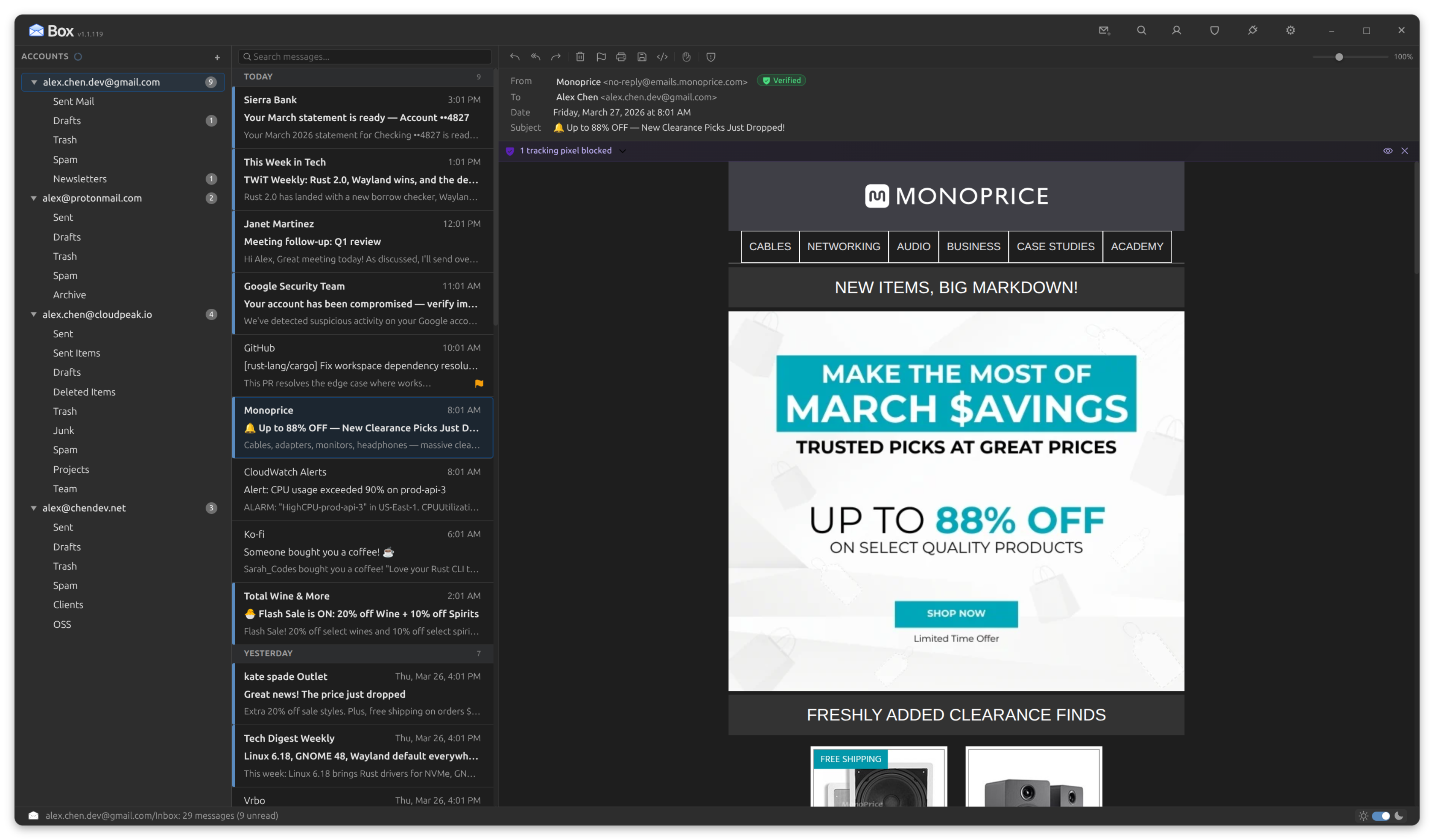
Box connects directly to those same servers via IMAP/SMTP, but the scanning, tracking, and ads never happen because they live in the web interface you're no longer using.
- No ads. Not in your sidebar, not between messages, not anywhere
- No scanning. Your email is stored locally in SQLite, not analyzed on someone else's server
- Works offline. Read, search, and compose without a connection. Webmail gives you a loading spinner
- Tracking pixels neutralized. Webmail loads them silently. Box blocks them by default
- Multiple providers, one window. Gmail + Outlook + Fastmail + self-hosted, all in a single app instead of four browser tabs
- Full-text search across everything. Not scoped to one provider. Not dependent on their search quality
vs. Thunderbird & Evolution
Thunderbird and Evolution are solid, established projects with decades of history. If they're working well for you, there's no reason to stop. But if you've ever wished your email client felt more modern, looked a little sharper, or did more to protect you out of the box, that's the gap we built Box to fill.
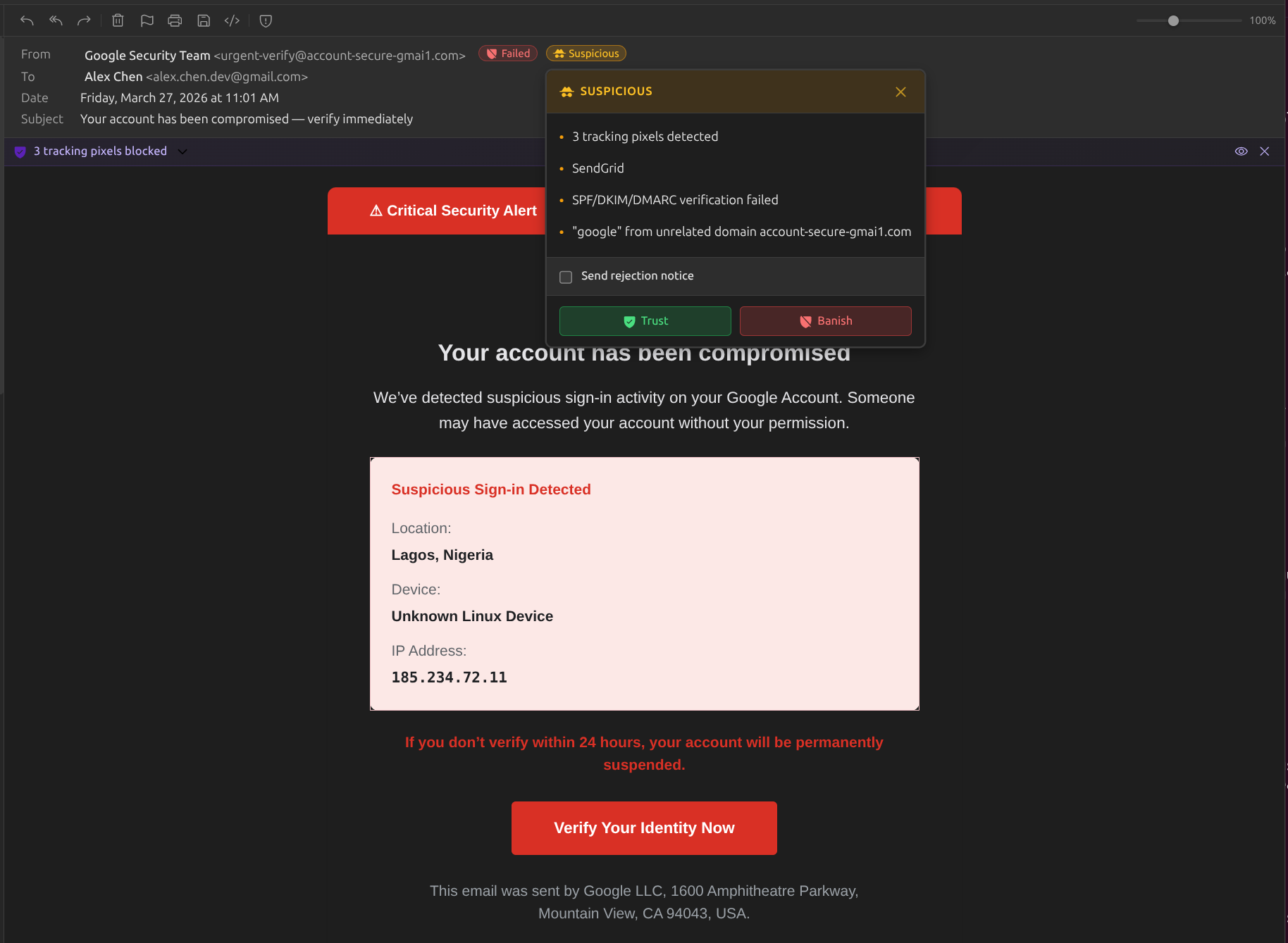
- Active inbox protection. Tracking pixel blocking, suspicious sender detection, and read receipt suppression are on by default. Not available as add-ons, not buried in settings
- Client-side email authentication. Box performs actual SPF, DKIM, and DMARC cryptographic verification, not just displaying what the server reports
- Modern UI. A clean three-pane layout with resizable panels, dark mode email rendering, and a compose experience that doesn't feel like 2008
- 32 provider presets. One-click setup for Gmail, Outlook, ProtonMail, Fastmail, and more. No hunting for IMAP server addresses
- Contacts built in. Auto-created from your email, with VIP markers, engagement tracking, and autocomplete in compose
- Lighter footprint. Box idles at ~250 MB RAM, roughly 20% less than a typical Thunderbird install on Ubuntu
vs. Cloud-Synced Clients
Some email clients route your messages through their own servers for features like push notifications, snoozing, or search indexing. That means a third party has a copy of your email, your credentials, and your metadata. You're trusting their security, their policies, and their business model to not change.
Box has no cloud component. Zero.
- No middleman. Box connects directly to your mail servers. No relay, no proxy, no third-party copy of your messages
- No credential sharing. Your passwords and OAuth tokens stay in your OS keyring. They're never sent to us
- Verifiable zero telemetry. A built-in Connection Log shows every outbound connection in real time. Verify it yourself with
ssor Wireshark - No subscription. Cloud-synced clients charge monthly because they run servers. Box is $10 once, because it doesn't
- You own your data. Your email lives in a local SQLite database you can query, back up, or delete. Not in someone else's cloud
- Works when they don't. If a cloud service goes down, your email is gone. If your network goes down, Box keeps working from its local database
What does $10 buy these days?
For context.
One
cocktail
One
coffee
A slice
of pizza

A private email client.
Forever.
The short version
Box gives you the convenience of a modern email client, the protection of a security tool, the privacy of a local-first application, and the price of a sandwich. Once.