Features
Everything you need in a desktop email client. Nothing you don't.
Email Management
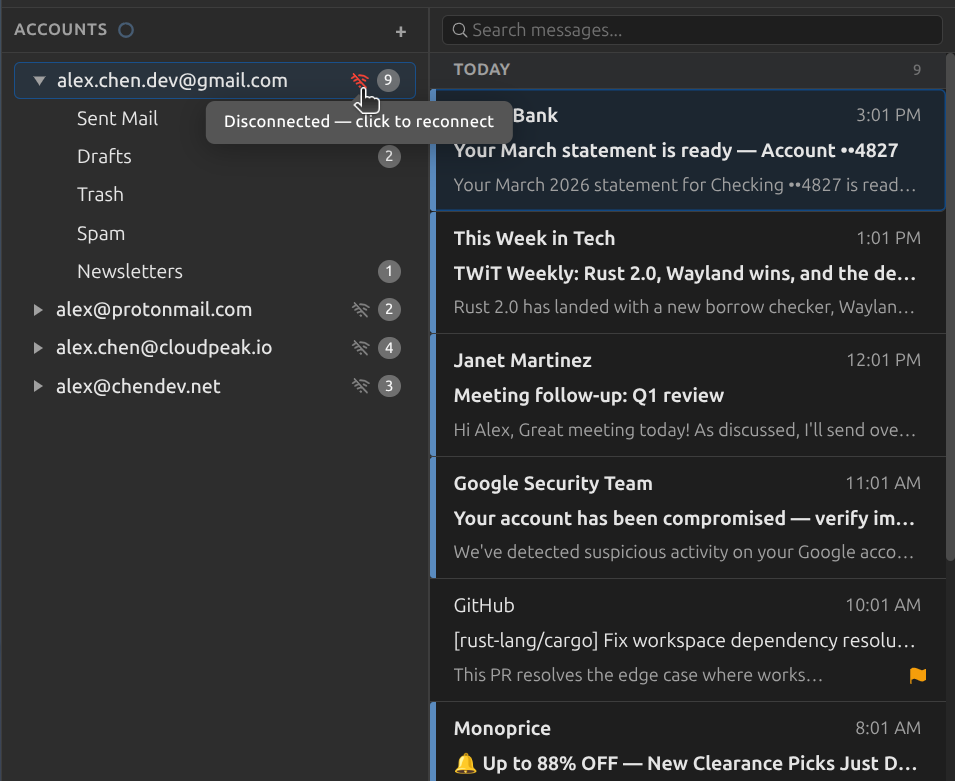
A classic three-pane layout that puts you in control. Manage multiple accounts from a single window, organize your folders, and handle messages with the speed and precision you expect from a desktop client.
- Three-pane layout with resizable panels
- Multi-account support: Gmail, Outlook, Yahoo, Fastmail, self-hosted, and more
- Full folder management: create, rename, move, and delete
- Message operations: move, copy, archive, delete, mark read/unread, flag
- Multi-select messages with shift-click and ctrl-click
- Drag-and-drop messages between folders and accounts
Account Setup
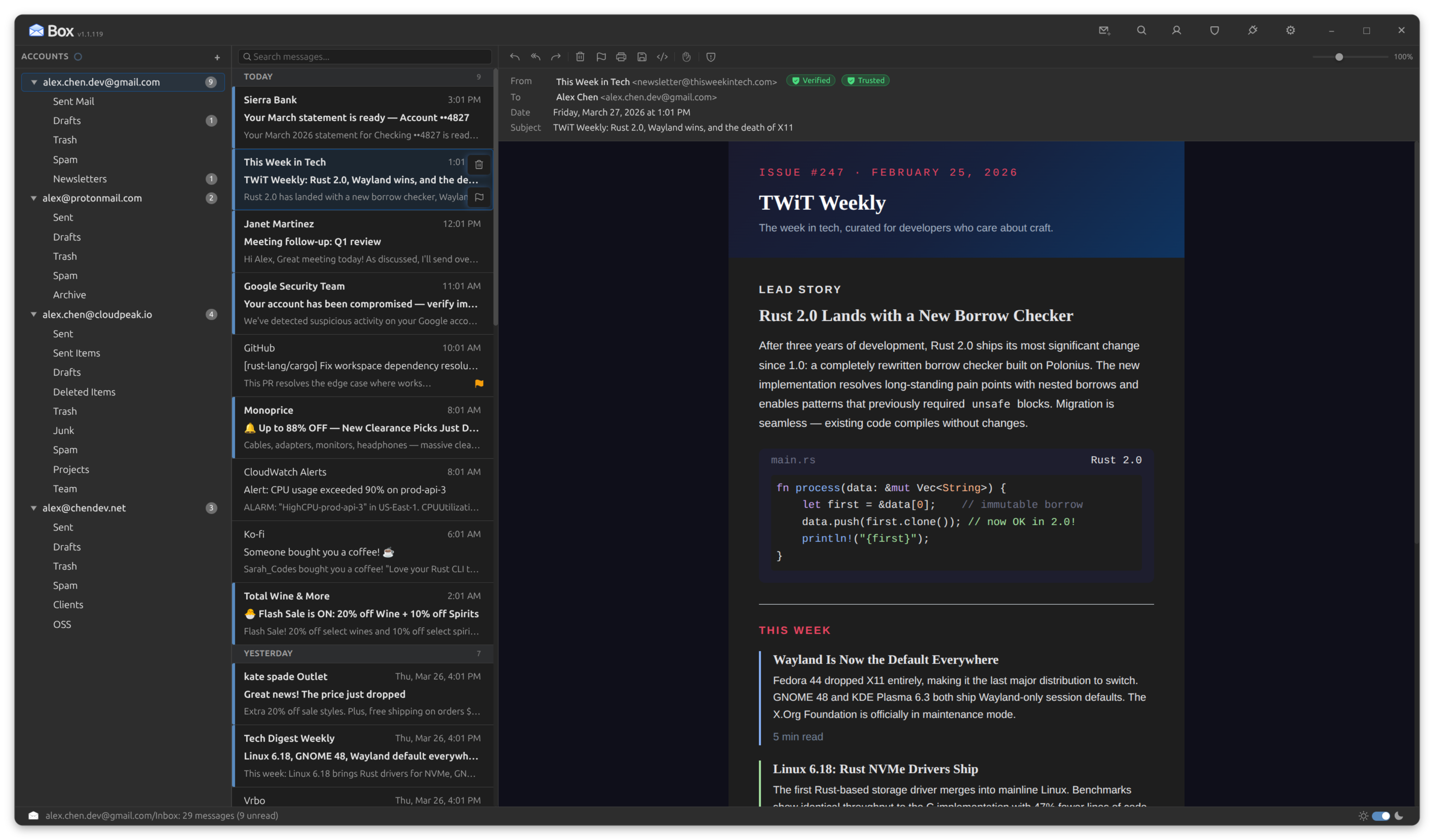
Add your email in seconds. Box ships with 32 provider presets that auto-fill your server settings, so setup is as simple as entering your email address and password. For providers that aren't in the list, full manual IMAP/SMTP configuration is available.
- 32 built-in provider presets: Gmail, Outlook, ProtonMail Bridge, Fastmail, Yahoo, iCloud, and more
- OAuth2 authentication for Microsoft accounts; app passwords for Google
- TLS, STARTTLS, or unencrypted connections with self-signed certificate support
- Enable or disable accounts without deleting them
- Drag-and-drop account reordering in the sidebar
- Tabbed account settings: General, Server, Folders, and Rules
Compose and Reply
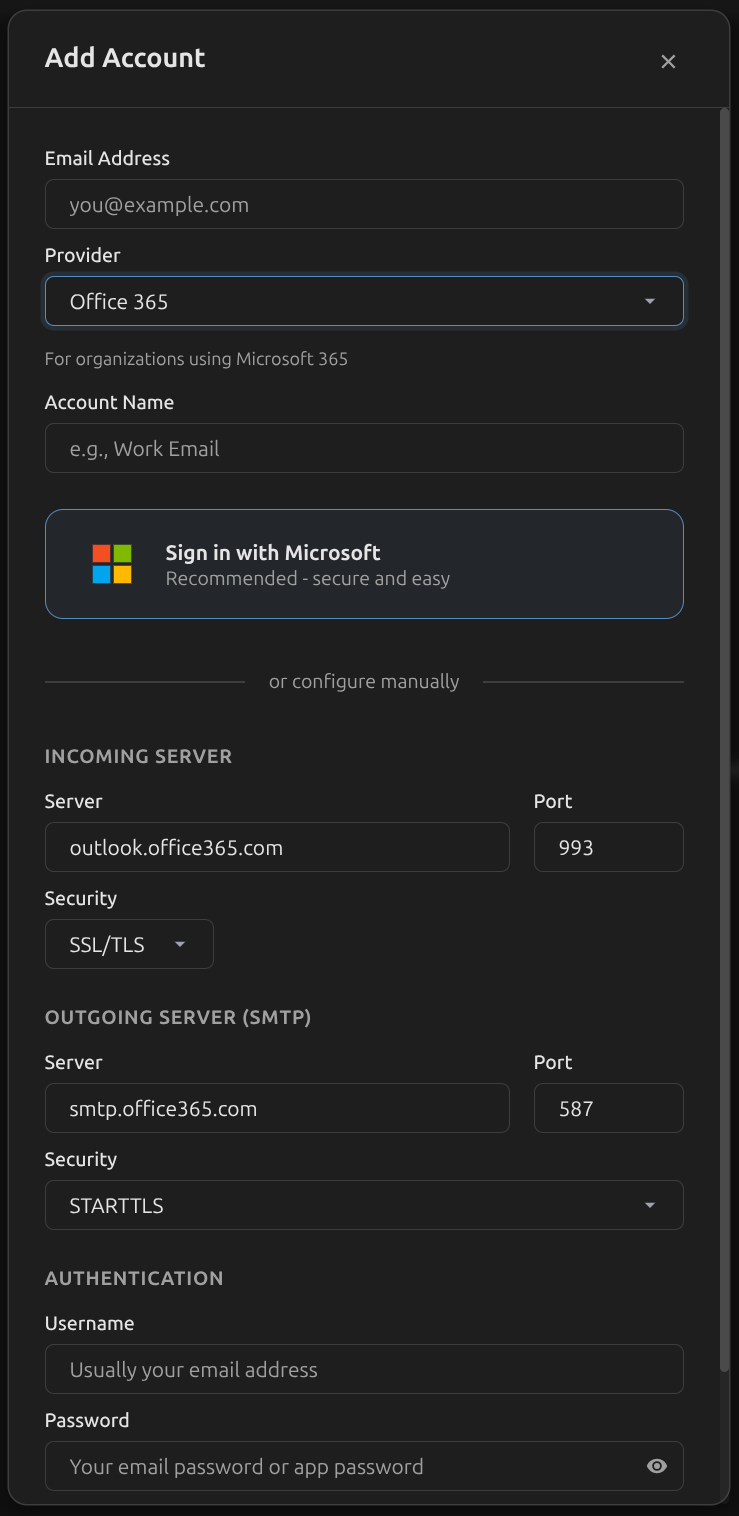
Write emails the way you want. A full rich text editor, separate compose windows, inline replies, and all the tools you need to communicate clearly and efficiently.
- Rich text editor: bold, italic, underline, strikethrough, lists, blockquote, code blocks, and links
- Separate compose window with instant-open pooling, or inline reply within the reading pane
- Insert inline images via drag-and-drop, automatically converted to CID attachments at send time
- Message priority toggle: Normal, High, or Low (sets X-Priority header)
- Request read receipts or delivery receipts from the compose toolbar
- Draft auto-save with visible countdown timer; resume drafts from any window
- Native spellcheck with dictionary suggestions and add-to-dictionary support
- Contact autocomplete, per-account signatures, and send with Ctrl+Enter
Email Rendering
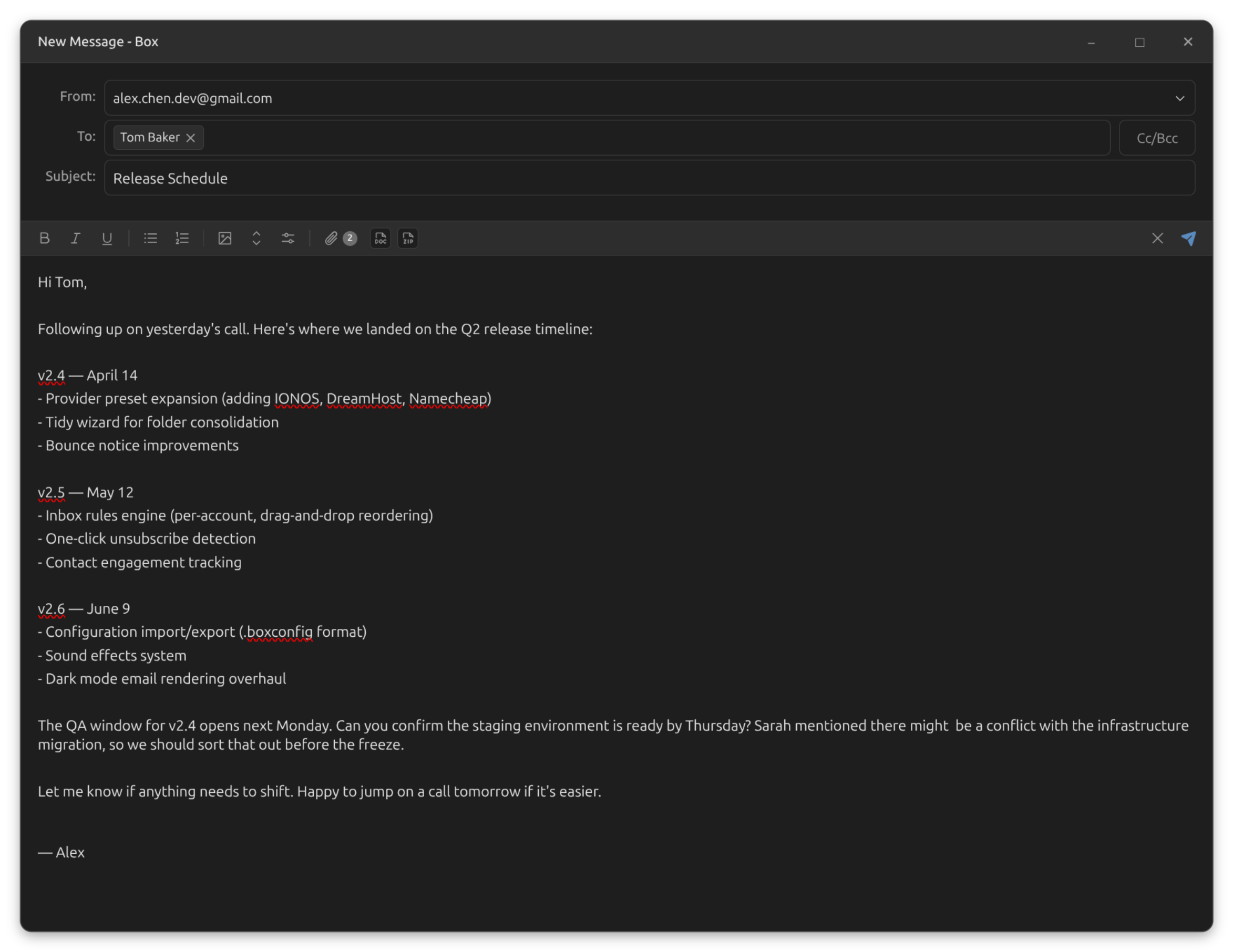
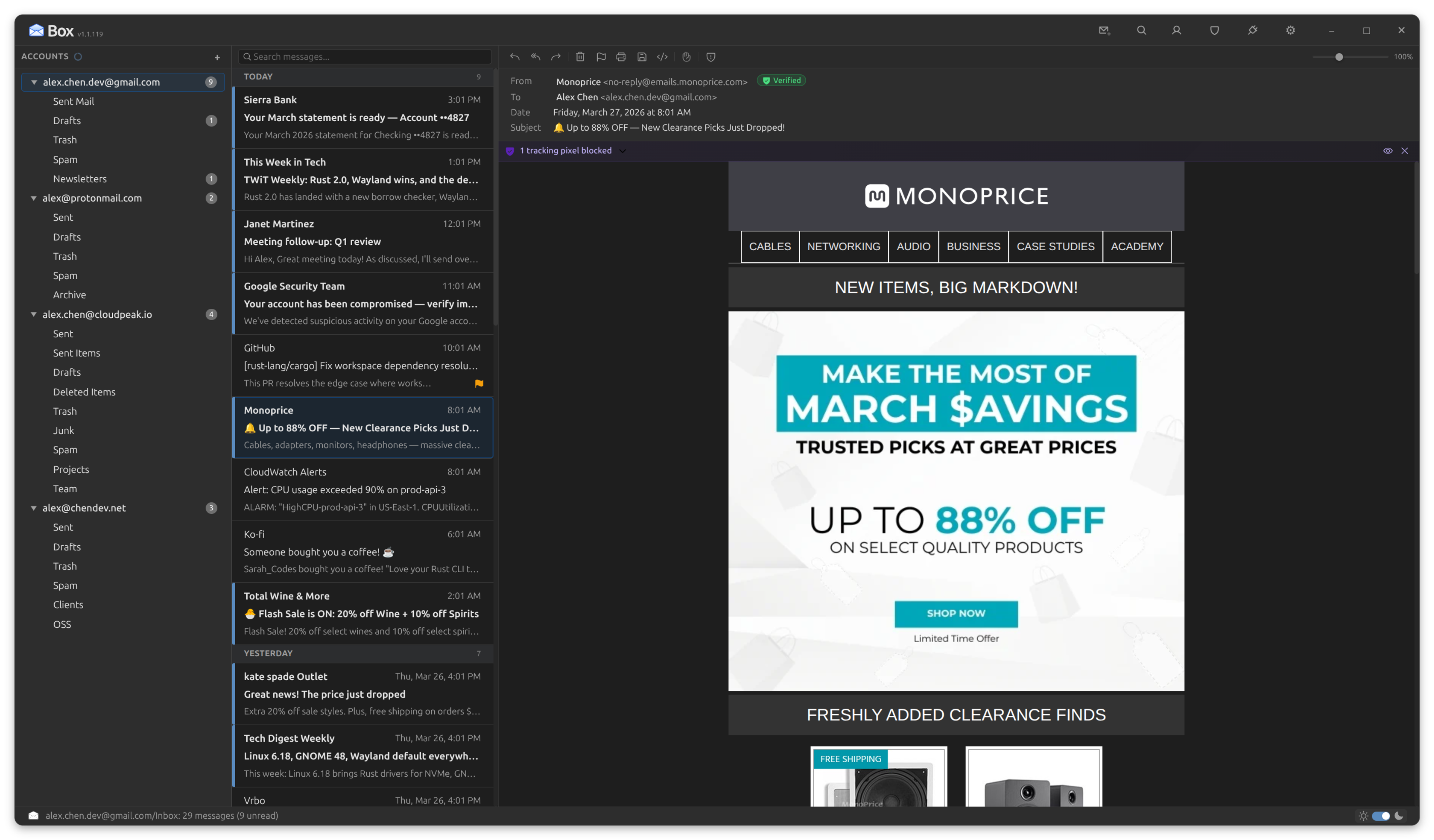
HTML emails look the way they should. Box uses Shadow DOM isolation, intelligent dark mode transformation, and post-render quality audits to display even the most complex newsletters beautifully, in any theme.
- Shadow DOM isolation: email styles never leak into the app UI
- Intelligent dark mode: near-white backgrounds converted to dark, decorative elements lightened, template grays stripped
- Post-render contrast audit: walks visible text, checks WCAG ratios, overrides unreadable content
- Post-render padding audit: measures text positions, injects spacing where content touches container edges
- Per-message zoom: 50% to 200% with keyboard shortcuts (Ctrl+. / Ctrl+, / Ctrl+/)
- Quoted content auto-detected and collapsed with expand/collapse toggle
- Smart padding detection: examines HTML structure and email framework markers before injecting spacing
Email Headers, Decoded
Most email clients bury headers behind a wall of raw text. Box parses them into a structured, interactive viewer that makes the invisible visible, from authentication results to the exact route your email traveled.
- Seven collapsible groups: addressing, content, identity, authentication, routing, metadata, and more
- Routing chain timeline: a visual map of every server hop with protocols and timestamps
- Transit time badge: see how long your email took from first hop to delivery
- Color-coded SPF, DKIM, and DMARC badges with detailed hover tooltips
- Clickable email address pills that open a compose window
- Toggle between structured pretty view and raw plaintext
Search
Two ways to find anything. A quick filter for the folder you're in, and a full Advanced Search window for everything else. Both private, offline, and instant.
Quick Search
- As-you-type filtering of the current folder; results update instantly
- Matches against subject, sender name, and sender address
- Highlighted matches so you can scan results at a glance
- Keyboard-first: hit
/orCtrl+Fto start searching
Advanced Search
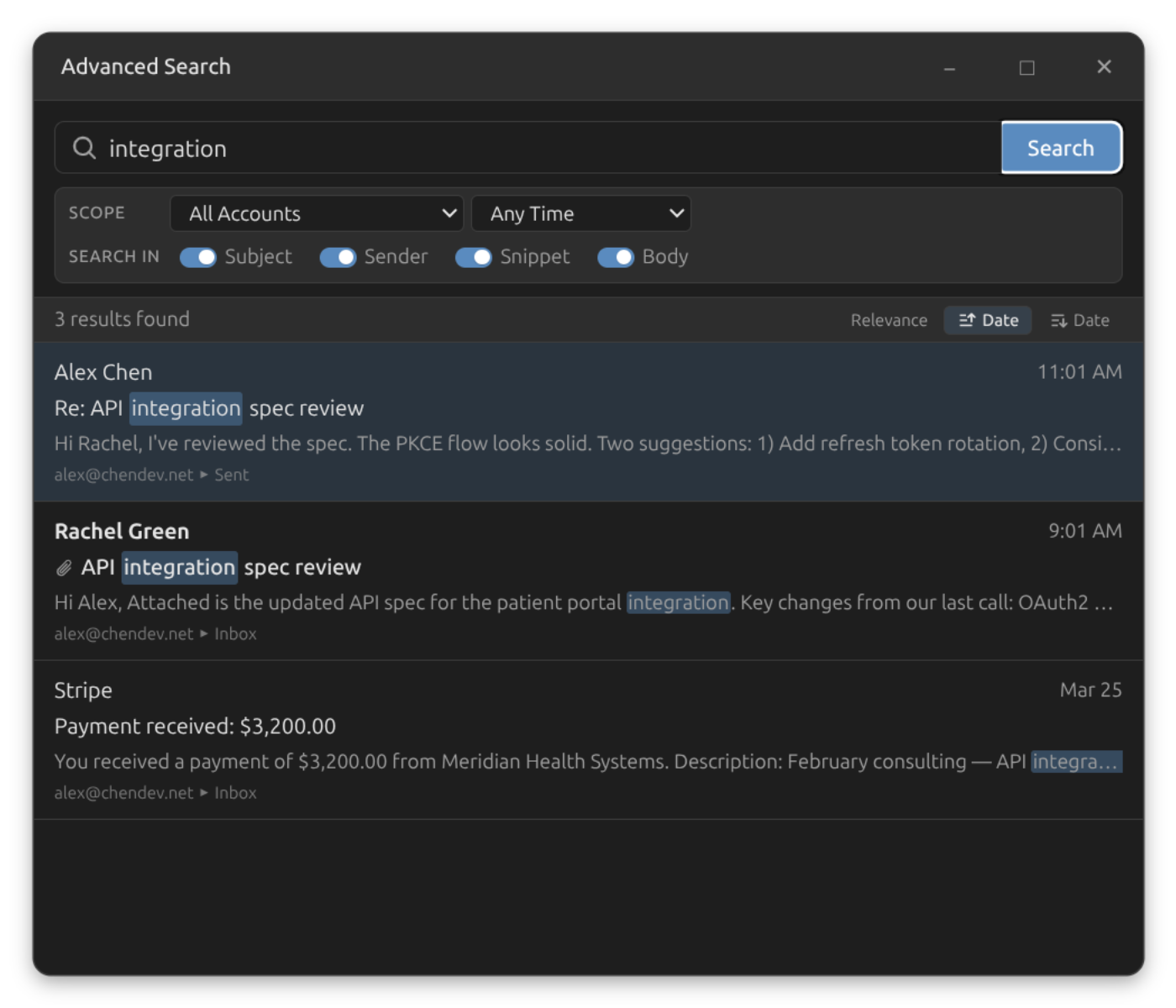
- Dedicated search window powered by SQLite FTS5 full-text indexing
- Search across all accounts and folders, or scope to a specific account or folder
- Toggle which fields to search: subject, sender, snippet, or full body text
- Date range presets: today, last 7 days, last 30 days, last 3 months, and more
- Relevance-ranked results with match highlighting and percentage scores
- Search history with autocomplete: your recent searches, one keystroke away
Contacts
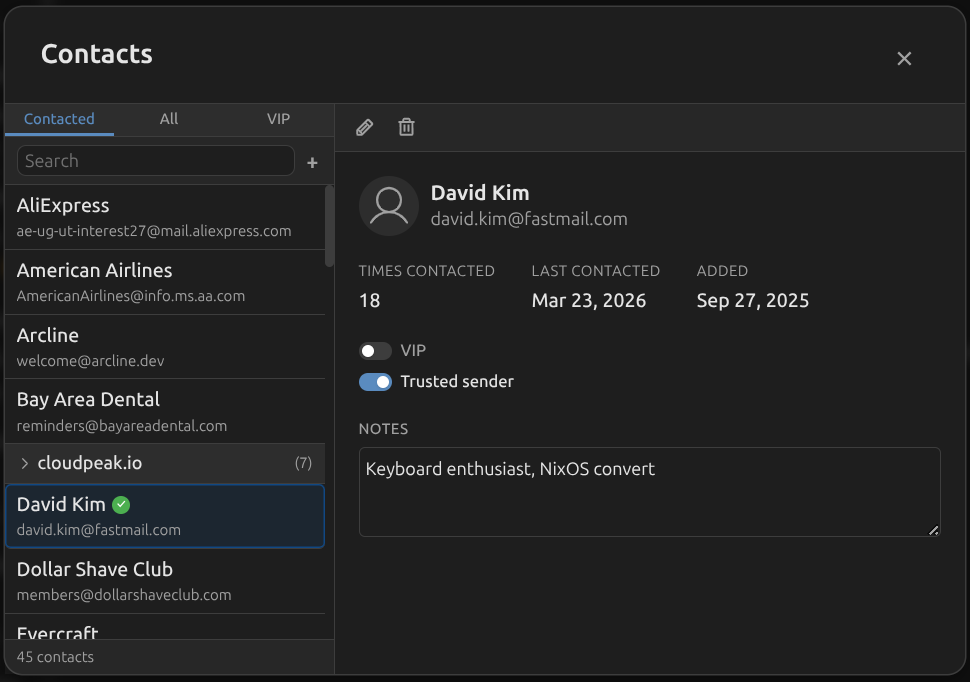
Box builds your address book automatically from sent and received email. Organize contacts, mark VIPs, track engagement, and enjoy instant autocomplete when composing.
- Three browsing tabs: Contacted (people you've emailed), All, and VIP
- Per-contact details: edit name and email, add notes, view trust status
- Engagement tracking: times contacted, first and last contact dates
- Domain grouping for easier browsing of organizational contacts
- Cleanup utility: remove stale or auto-generated contacts in bulk
- Feeds autocomplete in the compose window for fast addressing
Inbox Rules
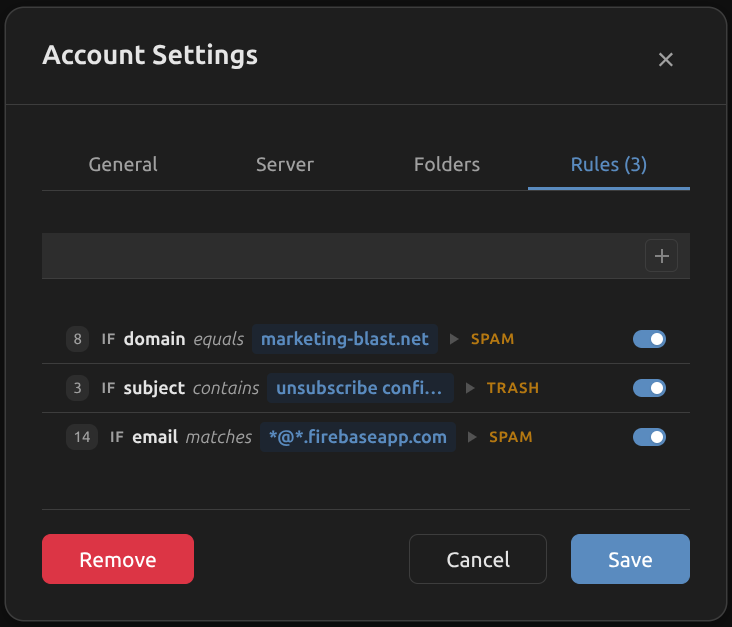
Route your email automatically with per-account rules. Build conditions based on sender, subject, or body content, and direct matching messages to any folder, spam, or trash.
- Rule builder: IF [field] [operator] [value] THEN move to [destination]
- Match on sender name, sender email, sender domain, subject, or body
- Operators: contains, equals, or wildcard matching
- Drag-and-drop rule reordering (first match wins, top to bottom)
- Hit counter shows how many messages matched each rule
- Quick-create: right-click any message or address pill to create a spam rule pre-filled with sender details
Tidy & Trim
Two powerful tools to keep your mailbox clean. Tidy consolidates duplicate IMAP folders. Trim deletes old messages in bulk with a live preview before you commit.
Tidy
- Detects duplicate standard folders (Sent / Sent Items / Sent Messages, Trash / Deleted Items, etc.)
- 4-step wizard: Analyze, Configure, Confirm, Execute
- Moves messages to your chosen canonical folder, then deletes empty duplicates
Trim
- Right-click any folder or account to trim old messages
- Flexible time picker: 1-100 of any unit from minutes to years
- Live preview count before deletion, with confirmation step
Select which folder to keep for each group.
Security and Protection
Your credentials are safe and your inbox is actively defended. Box uses OAuth2 where available, stores passwords in your OS keyring, enforces encrypted connections, and runs every incoming message through a layered protection system.
- OAuth2 authentication for Gmail, Outlook, and supported providers
- IMAP and SMTP connections secured with TLS/SSL
- Credentials stored in your OS keyring, never in plaintext
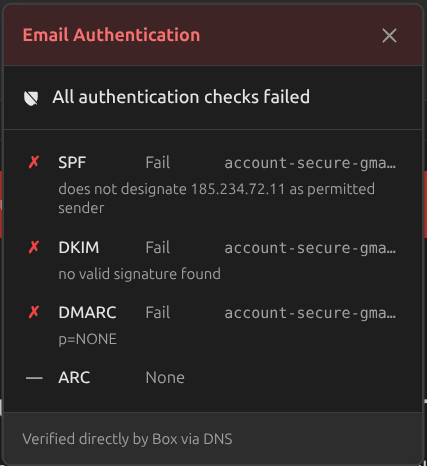
- Structured email header viewer with SPF, DKIM, DMARC badges and routing timeline
- Tracking pixel detection and blocking: surveillance pixels neutralized before they fire
- Suspicious sender detection: display name mismatches flagged automatically
- Read receipt suppression: no silent confirmations sent to senders
 Authentication
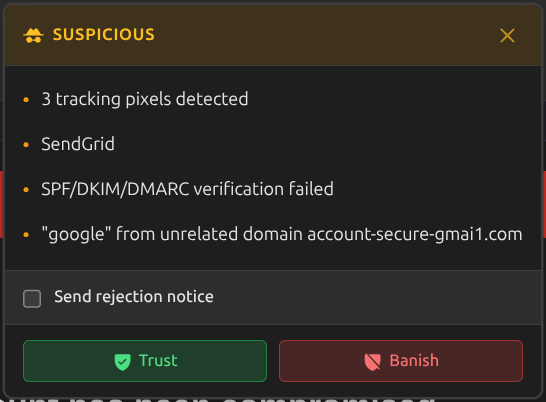 Suspicious
Desktop Integration
Box is a native desktop application, not a web wrapper. It respects your system theme, sends real notifications, supports keyboard shortcuts, and works with your desktop environment the way a local app should.
- Light, Dark, and Auto themes (time-based schedule: dark before 6 AM and after 6 PM)
- Desktop notifications for new mail with configurable sound effects (53 built-in sounds)
- Comprehensive keyboard shortcuts for navigation, compose, and message actions
- Configuration import and export via compressed .boxconfig files (passwords excluded)
- .eml file support: open via Ctrl+O, double-click, CLI argument, or drag-and-drop
- Print any email with Ctrl+P using the native print dialog
- Message list density: Compact, Comfortable, or Spacious
- Custom email font and font size (8-24px) from any installed system font
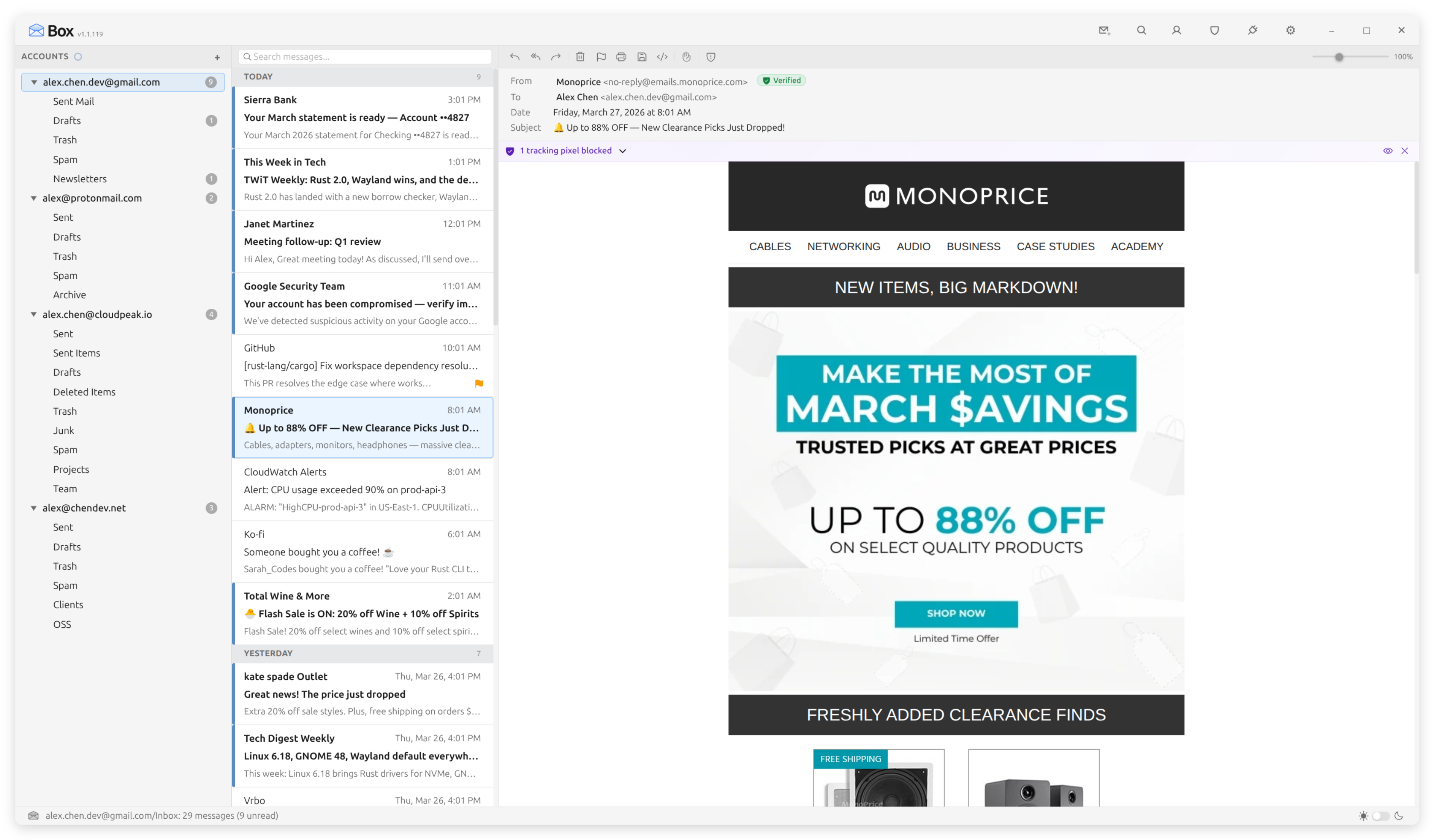
 Light
Dark
Light
Dark
Offline and Reliability
Box works even when your network doesn't. An offline-first architecture backed by SQLite means your email is always accessible. Outgoing messages queue automatically and send when connectivity returns.
- Offline-first SQLite database: read, search, and browse without a connection
- Outbox with automatic retry: queued messages send when connectivity returns
- Deferred sync queue: flag changes, deletions, and moves replayed automatically
- Per-account connectivity monitoring with automatic reconnection and OAuth token refresh
- Priority connection pool: two IMAP connections per account so interactive actions never block sync
- Virtualized message lists for smooth scrolling through folders with thousands of messages
- Optimistic UI: delete, move, and read/unread changes appear instantly before server confirmation